


Fleety - Subway & Bus Tracker
4.227.00 Reviews
App Specs
- Version
- 0.49.1
- Updated On
- License
- Free
- Downloads
- 10,000+
- Developer
- Global Transit Inc.
- Categories
- Maps & Navigation
- Platform
- Android
Screenshots
 Analysis by AppCompare
I tend to judge a transit app by a simple question: can I check my route quickly when I am already standing on a platform or beside a busy street? Fleety - Subway & Bus Tracker is built for that exact moment. It is a free Maps & Navigation app from Global Transit Inc. that focuses on transit tracking for MTA, CTA, LA Metro, and UTA, combining live maps, arrival times, and schedules in one place. After using it as a focused tracker rather than a general-purpose map, I found it most appealing for people who want transit information without turning every trip into a full route-planning project.
The app has a clear practical identity. It is not trying to replace every map tool on a phone; its value comes from putting selected subway and bus systems at the center. That focus can make checking a familiar commute feel faster than opening a broader mapping app and moving through several layers of directions, walking routes, and place information. At the same time, the limited transit coverage matters. If your daily network falls outside the MTA, CTA, LA Metro, or UTA systems, the app is unlikely to become your main travel companion.
How Fleety feels during real transit use
When I rely on a transit tracker, I try to separate what it visibly helps me do from what I would need to know before trusting it with sensitive choices. Fleety’s role is clear: it brings transit information for selected networks together, so I can use it to make a quicker travel decision. That practical focus also makes it worth looking closely at the controls and information I can actually verify before building it into a daily routine.
Quick checks are where it makes the strongest impression
In my experience, the best use of Fleety - Subway & Bus Tracker is the short, repeated check: I am leaving work, I want to know whether the next bus is worth catching, or I am deciding whether to wait for a train or start walking. The combination of a live map, times, and schedules gives those decisions a useful structure. I do not need a long explanation of the city; I need a current view of the service and a timetable reference when the live situation is less clear.
That distinction is important because speed in a transit app is not only about how quickly a screen appears. It is also about how quickly I can understand what I am seeing. A map can look impressive but still slow me down if it is crowded with unrelated information. Fleety’s narrower purpose gives it a chance to feel more direct, especially for riders who already know their usual lines and mainly need confirmation before they move.
I would still avoid treating any transit tracker as an instant answer in every situation. Live information depends on the underlying service and on the phone’s connection, so the most useful habit is to check before walking deep into a station or boarding a vehicle. I found the schedule view particularly helpful as a second reference: when an arrival estimate looks surprising, a timetable can help me understand whether I am seeing a normal gap or an unusual delay.
What happens when the app is under pressure
Heavy-use moments are less about opening the app once and more about checking it repeatedly. During a busy commute, I may switch between a map view and a schedule, compare a nearby stop with another one, and reopen the app after putting the phone away. That kind of use exposes whether a tracker is merely attractive or genuinely practical. Fleety’s focused design works best when I keep my questions small: which service is approaching, where is it now, and what does the scheduled pattern suggest?
Worth Reading Before You Choose

Flipboard Shows What News Apps Must Do Beyond the Feed

Switching to Android Auto Means Rethinking Your Driving Routine

Google Calendar Makes a Crowded Week Easier to Manage

Ludo King Makes the Most of the Minutes Between Plans

Baby Panda World Brings Quick Play to Modern Phones, but Its Game Library Feels Busy

ESPN’s Live Game View Makes Following Close Games Easier
A useful workflow is to make the first check while I still have a stable connection, then use the displayed schedule as context during the walk to the stop. This reduces the pressure to refresh constantly. It also helps separate two different needs that are easy to confuse: a live position is useful for immediate decisions, while a schedule is better for planning the next part of a journey. Treating them as complementary rather than interchangeable makes the app more dependable in everyday use.
For a commuter who checks the same corridor several times a day, that focused rhythm is a genuine advantage. The app can serve as a quick status board rather than a full trip-planning workspace. For a visitor making a complicated journey with several transfers, the experience may feel less complete than a general map service that combines walking directions, landmarks, and alternate travel modes in one route.
Reliability means knowing when to verify
I like that Fleety brings live transit information and scheduled service into the same experience, but I would not use a single arrival display as a guarantee. Public transport changes quickly, and an estimate can become less useful when a vehicle is delayed, a route is disrupted, or a connection is missed. The responsible way to use the app is as a decision aid: check the current picture, compare it with the schedule, and leave enough flexibility for the realities of city travel.
This is also where the app’s selected network coverage shapes its reliability for each person. A rider in one of the supported systems may find the focus reassuring because the app is built around those networks. Someone moving between cities may need another tool ready for the portions of a trip outside that coverage. I would not install it as my only navigation app unless my regular travel is concentrated in one of the supported transit areas.
Recovery after an interruption is another practical test. If I lose my place in a journey, I want to return to the current transit picture rather than reconstruct everything from memory. Fleety is most useful here when I use it in short stages: identify the relevant line or stop, check the current timing, and then confirm the next action. That approach is less fragile than trying to keep one complicated route open throughout an entire day.
A realistic commute example
Imagine leaving an office in Chicago when rain has started and the next bus is usually close behind another. I would open Fleety before leaving the building, look at the live map and arrival information, and decide whether to walk directly to the stop or take a slightly longer route to another nearby option. Once outside, I would use the schedule to judge whether a displayed gap is normal. If the timing looks too tight, I would make the decision early instead of reaching the stop just as the bus disappears.
The same pattern works for a subway ride in New York or Los Angeles: check the service before entering a station, use the live view for the immediate choice, and keep the schedule in mind for the return trip. In Salt Lake City, the app’s value depends on whether UTA is part of the journey. These are not dramatic features, but they are the small decisions that make a tracker useful. The app earns its place when it saves me from guessing, not when it tries to become a complete travel assistant.
Battery, storage, and older phones
Fleety is listed with a minimum OS of Android 7.0, which makes it accessible to people who are not using a recent phone. That is helpful for riders who keep an older device as their everyday handset or as a dedicated travel phone. Still, operating-system compatibility should not be confused with identical performance on every device. A newer phone will generally be better positioned for frequent map use, multitasking, and returning to the app after other applications have been open.
For resource-conscious use, I would avoid leaving a live map open continuously when I only need one arrival check. A quick look, followed by locking the screen, is a sensible habit for both battery life and attention. Transit apps can become demanding when they are repeatedly refreshed, especially during a long day of travel, so using the schedule as a planning reference instead of constantly watching the map is the more efficient workflow.
I also prefer keeping a second navigation option available when traveling somewhere unfamiliar. That is not a criticism unique to Fleety; it is a practical safeguard for any app centered on live information. If the phone is low on power, the connection is weak, or I need walking directions beyond the transit network, a broader map tool may be more useful. Fleety’s strength is concentration, while the trade-off is that it does not need to carry every navigation task.
Who should use it and who should skip it
Fleety is a good match for regular riders of the MTA, CTA, LA Metro, or UTA who want a dedicated way to check trains and buses. It also suits someone who dislikes the clutter of a general map app and prefers to separate transit status from restaurant searches, driving directions, and other distractions. The free entry point makes it easy to try without committing money first, while the Everyone content rating keeps it broadly suitable for households with different users.
I would be more cautious if my travel is mostly outside those systems, if I need door-to-door walking instructions, or if I frequently plan complex journeys with several modes and stops. In those cases, a full mapping application may be the better primary tool, with Fleety serving as a specialized second opinion where its supported networks apply. Travelers who depend on precise disruption handling should also keep a flexible mindset and verify important connections rather than assuming that one screen can predict the entire trip.
What the app costs beyond the download
The app itself is free, but optional in-app purchases range from $2.99 to $19.99 per item. That makes the initial decision straightforward: I can test the core experience before deciding whether any paid option is worthwhile. I would judge those purchases by how often I ride and whether they remove a real inconvenience in my routine, not simply because a premium option is available.
For an occasional visitor, paying may not make sense if the free experience already covers a few planned journeys. For a daily commuter, a paid item could be easier to justify if it meaningfully improves repeated checks, but I would still compare the benefit with the free tools already on the phone. The important trade-off is not just price; it is whether Fleety becomes a dependable part of a specific transit routine or remains an occasional reference.
Version, maturity, and day-to-day confidence
The current version is 0.49.1, and the app was released on April 15, 2025. Those details suggest a product that is still relatively early in its public life rather than a long-established transit standard. I see that as a reason to evaluate it by practical usefulness instead of expecting the same breadth and polish as a massive, all-purpose navigation platform.
Its audience is already giving it encouraging feedback: Fleety holds a 4.3 average from 336 ratings, with 26 written reviews and more than 10 thousand installs. Those figures indicate real interest, but they do not remove the need to test the app against a personal commute. Transit coverage, connection quality, and the way each rider prefers to plan can matter more than a general score.
Global Transit Inc. has chosen a sensible direction by keeping the product centered on named transit networks rather than presenting it as an answer to every travel problem. The next question for me is whether that focus remains stable and useful during the unglamorous moments: a rushed transfer, a weak signal, a late vehicle, or a phone that is already working hard. That is where a tracker proves its value.
My performance verdict
Fleety feels most effective when I use it as a fast transit dashboard: open it, identify the relevant service, compare the live situation with the schedule, and make one clear decision. Its perceived speed benefits from that narrow purpose, and its resource demands are easier to manage when I avoid leaving live views running unnecessarily. The app is not a replacement for every navigation tool, but it does not need to be one to be useful.
My main reservation is coverage and scope rather than the basic idea. Riders outside the supported networks, or people who want one app to handle walking, driving, cycling, places, and complicated itineraries, should look elsewhere or pair it with a broader service. Even within a supported city, I would keep a little time in reserve for delays and use the schedule as context rather than a promise.
Overall, I would recommend Fleety to a commuter who regularly uses MTA, CTA, LA Metro, or UTA and wants a dedicated way to check buses and trains. The strongest reason to install it is not the list of features by itself; it is the simple workflow those features create during a real commute. If your daily question is “should I wait, walk, or board now?”, Fleety is worth trying. If your question is “plan my entire trip from the front door and handle every possible alternative,” a broader navigation app will probably serve you better.
Pros
- Live subway and bus arrival updates help reduce waiting time.
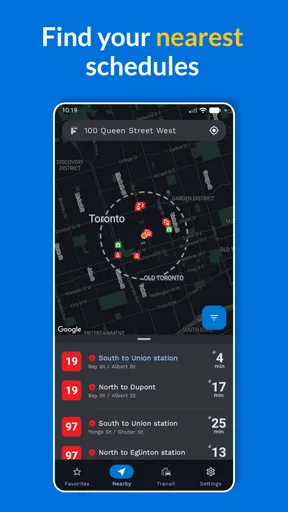
- Clean map view makes it easy to find nearby stops and stations.
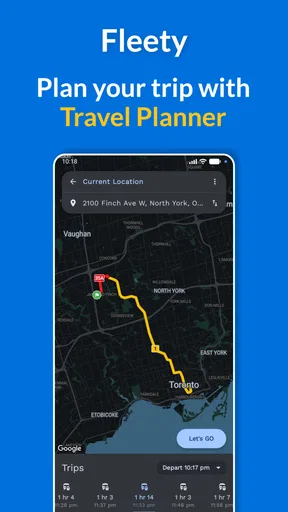
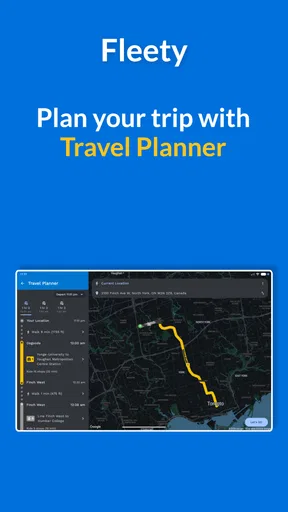
- Supports route planning with multiple public transport options.
- Useful service alerts can warn about delays and disruptions.
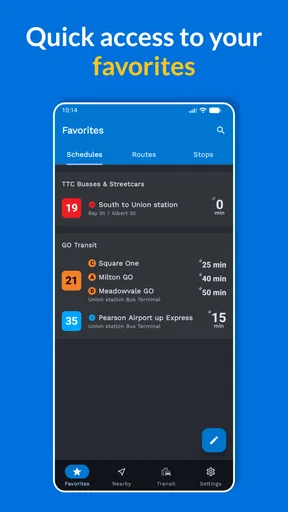
- Favorites provide quick access to frequently used routes and stops.
Cons
- Coverage and accuracy may vary between cities and transport agencies.
- Some advanced features may require a premium subscription.
- Location access can increase battery usage during active tracking.
- Crowded maps may feel difficult to read in busy downtown areas.
- Arrival predictions depend on data supplied by local transit operators.
FAQs for Fleety - Subway & Bus Tracker
What is Fleety - Subway & Bus Tracker used for?
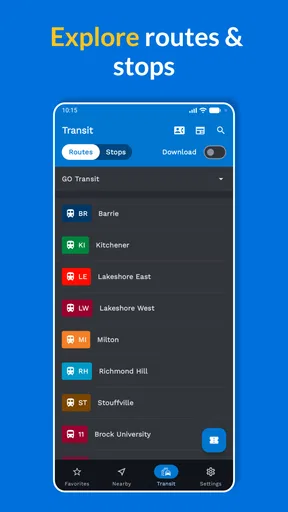
Fleety - Subway & Bus Tracker is designed to help public transportation users plan and manage their journeys. It can provide information about subway and bus routes, nearby stops or stations, departure times, and possible connections, depending on the supported city. It is especially useful for checking a route before leaving, comparing travel options, and reducing uncertainty during daily commutes or unfamiliar trips.
Does Fleety support every city and public transportation network?
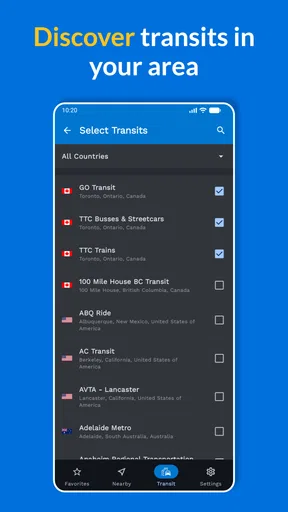
No, coverage depends on the locations and transit agencies supported by the app. Before downloading, you should check whether your city or the destination you plan to visit is included. Transit information can also vary between regions, since some networks provide detailed real-time data while others may offer only scheduled routes and timetables. Availability may change as the developer adds or updates supported areas.
Can Fleety show real-time bus and subway arrivals?
Fleety may provide real-time arrival information where the relevant transportation authority makes live data available, but this feature is not guaranteed for every route or location. In some areas, the app may rely on scheduled timetables instead. Delays, service interruptions, GPS limitations, and incomplete agency data can affect accuracy, so it is sensible to confirm important journeys with official transit announcements when timing is critical.
Does Fleety require an internet connection or location access?
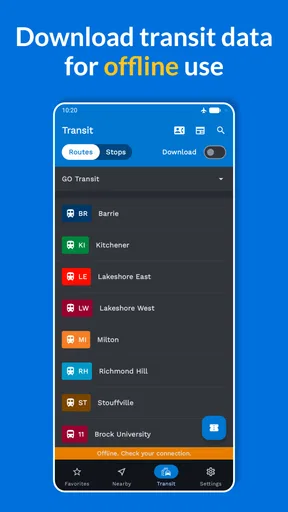
An internet connection is generally useful for downloading current route information, receiving service updates, and retrieving live arrival data. Location access can help the app identify nearby stops and stations or suggest routes from your current position, although you may be able to search manually without enabling it. Keep in mind that continuous location use may affect battery life, and permissions can be reviewed in your device settings.
Is Fleety - Subway & Bus Tracker free to download and use?
The app’s download model, available features, advertisements, and possible in-app purchases may depend on the platform and current developer policies. Check the Google Play Store or Apple App Store listing before installing to see whether any premium tools, subscriptions, or paid upgrades are offered. Also review the latest permissions, privacy details, and user feedback, since pricing and feature availability can change with future updates.


